 Creating
additional folders:
Creating
additional folders: Creating
additional folders:
Creating folders helps you to organize your e-mail. Certain types of e-mail messages can be placed in the folders you create. Folders work well with Message filters.
To create a folder in Mozilla, follow these simple steps:
Right click Inbox and select New Folder from the menu.
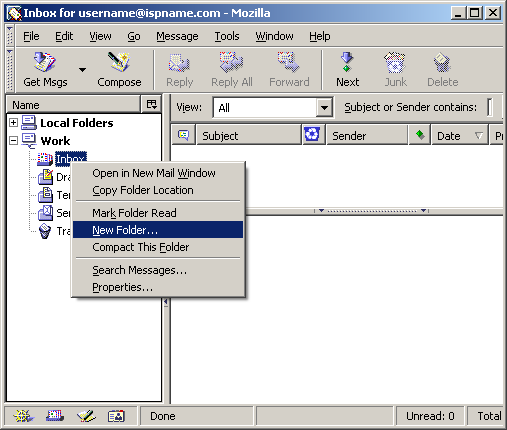
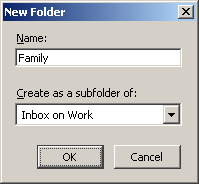
The New Folder window appears.
Name = Give the new folder a name.
Create the new folder as a subfolder of your 'Inbox'.
Click OK when finished.
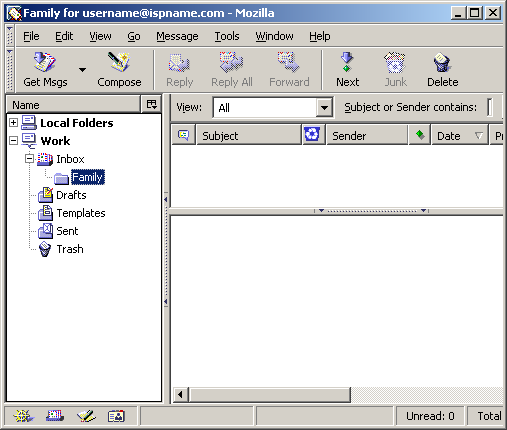
You now have a new folder.
Create as many as you need. There are plenty to go around.
Links: Return to top